
Become a
Creator
of Perfect Fit Patterns
make timeless clothes...
(Create substainable garment collections)
Give Life To Your Fashion Collections
5500+
Creators
62+
Countries
Worldwide
20K
Collections
Join other amazing Apparel Creators, who are designing professional collections simply and accurately.

Design, Make Patterns & Grade
Create Your Clothing Collections with Confidence
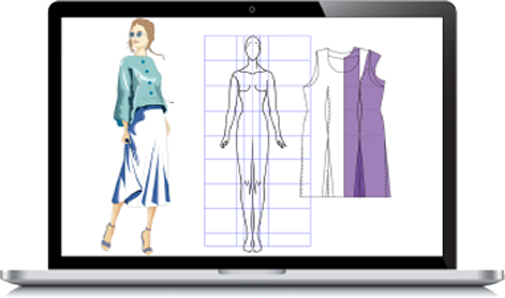
Fashion Design
Ensure the fit before the garment is made with "Virtual Fitting" technical design.
Made-to-Measure Models can be used as a background guide to draw your original designs.
Make modifications to existing designs from the libraries & create brand new collections.
Create technical drawings easily and accurately & provide clear guidelines for the pattern development process.
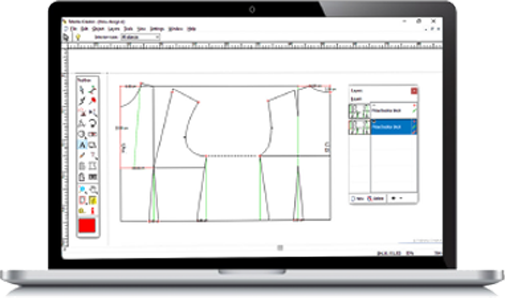
Pattern Cutting
Unique Automatic function to create basic blocks in any size with a click of a button.
Combines a set of easy to learn CAD tools and functions, with sound pattern cutting knowledge.
You will be able to create your own blocks and styles, build-up your own style library, modify and adjust existing blocks and create fully professional collections.
Make Your Collection Stand Out
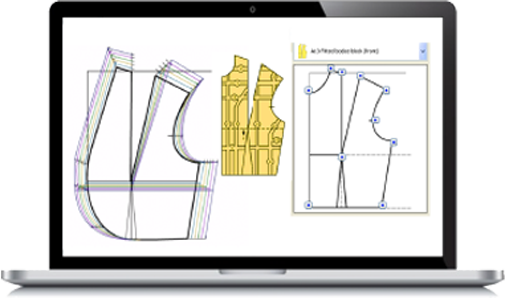
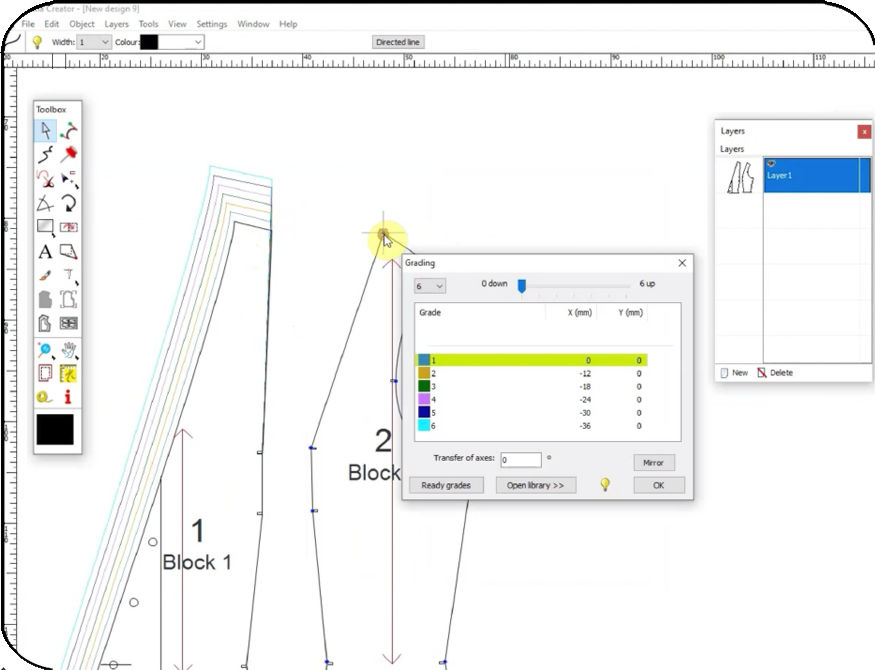
Pattern Grading
Ready Grade measurements for 3D grading - taking into account the bust.
Grade patterns proportionally while keeping the shape, fit and balance of the original design.
Select your grading points on your block while it grades each one automatically giving you the option to use a variety of increments.
Our Easy
Working CAD System

Intuitive Tools
Intuitive tools & working method that helps expand your creativity. You will start creating right away.

Small Learning Curve
All you need are a couple of online live zoom session, on the tools & functions. There are provided free, and you are ready to start!

Flexible Printing
Prints in various paper sizes even A4. Export a pdf of your work & sell your patterns easily.
Bring Your Collections to Life with
the Automatic Function
Made-To-Measure
Digital Patterns

Link Fashion Design
to Pattern Cutting
What You Get


Key Features
- Digitise your own paper patterns easily without any extra hardware.
- Arrange and organise your patterns in layers.
- Work on multiple designs simultaneously.
- Create your own pattern library.
- Import EPS files and many images (jpg, gif, png, bmp, pcx, and more).
- Import files from most competitor CAD software.
- Scan ready patterns for adaptation.
- Variable width seam allowance.
- Built-in help and ready examples.
Ensure how the garment fits on the body shape
BEFORE it is actually made
100% control of
the design
phase...
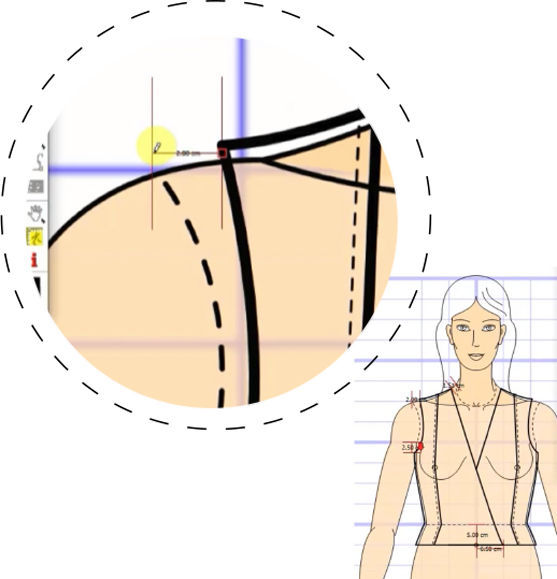
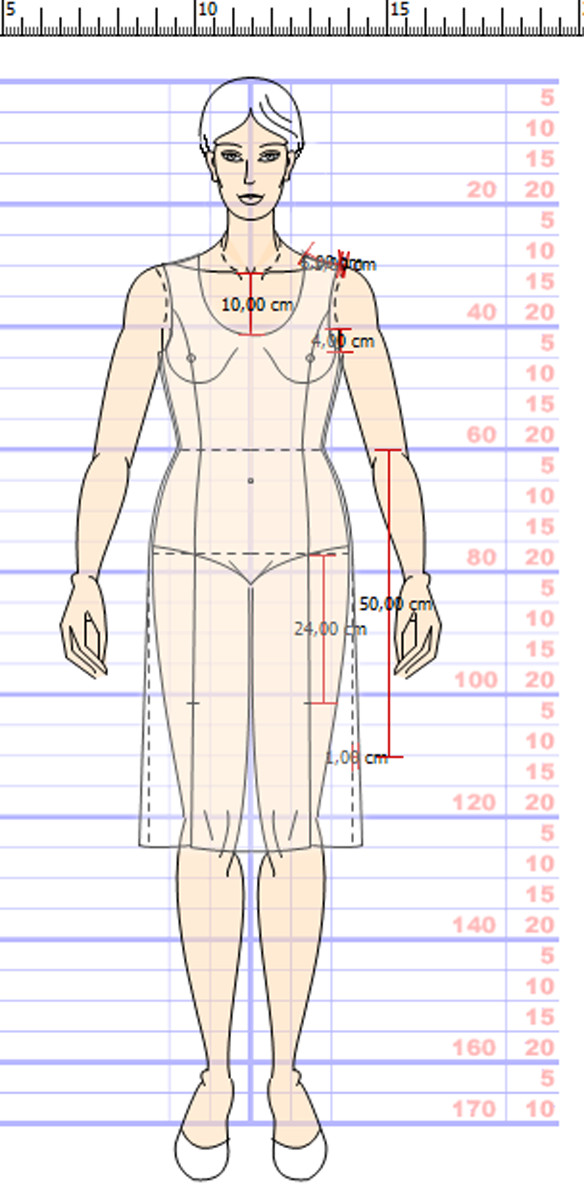
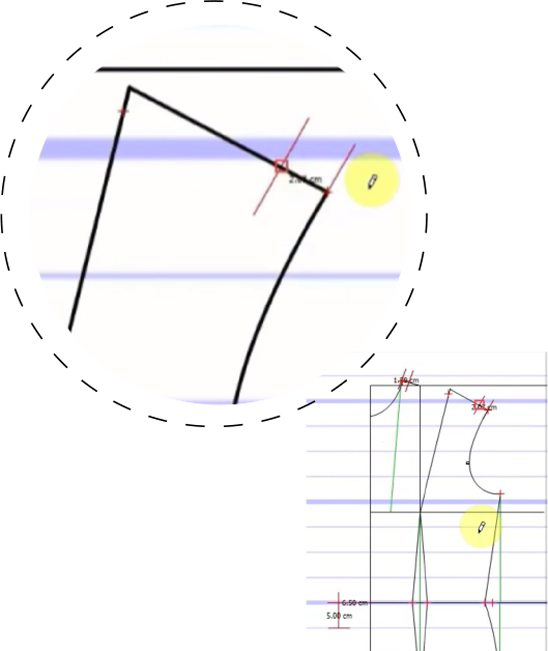
...evaluate
the FIT and the
DESIGN features
ON THE BODY with the
'virtual moulage' system
START using the CAD SOFTWAREMake Your Collections Stand Out
Eliminate waste and errors
right from the start
Create sustainable
collections that last
because of excellent fit
Better products for your customers,
that follow design & form
Split-Diagrams to facilitate grading of Styled Patterns.
Full set of grading rules for different types of garments.
Are you still unsure about your Pattern Making Skills?
You can now combine the use of the CAD software with the Pattern Making Training Online course.
👉 In this way you get 2 benefits:
Master the pattern cutting skills and
Learn how to make your own collections digitally in the Computer.
Testimonials

Telestia is the result of a century of research and development into perfect fit and balance and is available in many mediums, including books, CAD, online courses and taught courses.
Nicola Ridd-Davies (UK)
Fashion Enter eTelestia
Perfect Pattern Cutting Masterclass taught by Anastasia Vouyouka

Possibly the best defined and created methodology for making garments ever produced. Telestia feels like a long overdue wake-up call to the fashion industry, once experienced, never forgotten. It comprises a set of tools, based on a far superior methodology.
Paul Markevicious (UK)
Fashion Enter eTelestia
Perfect Pattern Cutting Masterclass taught by Anastasia Vouyouka
Since taking the Telestia pattern making course, I have learnt so much about pattern making and I have developed a particular interest in pattern designing and making. I am so grateful for the Telestia creator, it has made it extremely easy to create more designs in very little time, I have been using the Telestia creator, confidently for about 6months now and it gets easier every single time.
Abiola Adenkule (UK) Pattern Making, Pattern Grading & Sewing Courses and Telestia Creator CAD software 2016-2017

I am enjoying the course very much and learning a lot. It is taught in a logical order. The tutors are very knowledgeable and helpful. They check the assignments thoroughly and send appropriate comments to help students improve. Overall, I definitely recommend this course to anyone who is seriously considering to learn how to draft, design and sew their own clothes. I have not even completed the entire course and I drafted and sewed my own pattern for a dress I just saw in catalogue. The fitting was amazing and I was able to do this based on the techniques I learned through the course.
Shefali Garg (USA)

I would like to share my story with single mothers like me who think it's
impossible to make it with a child.
I started studying with eTelestia, while my son was only almost 5years old,
today my son is almost 10years old. I've always worked during the day and
during the evenings I did my studies while my son was in bed till I felt I
was tired to do it. The more I thought it was impossible to do the cutting
and drawing, the more it got interesting and the more I came up with different
ideas to design. It is amazing the way you can become a designer or tailor
through online learning.
Of course you need determination to achieve anything in life and you need to
be willing to put effort at least everyday of your time. The best part about
eTelestia courses, is that it is well explained and the examples are easy to
follow and whenever you have questions, the teachers respond to you as quick
as possible...
Today I make clothes for different private clients and make extra cash for my
living, and this is the investment that I'll never regret all my life.
Tina Wande (DE)

I've bought several kits from Anastasia to use with my evening class home dressmaker
students, some of whom are very skilled dressmakers - which will also give me a chance
to practice!
Ill fitting clothes be gone - designers, pattern drafters and graders let's get back
to creating garments with a real understanding of the body beneath. Our customers will
love us for it!
Alice Prier (UK)
See Why So Many
Choose eTelestia
Haley Stringfellow UK
Pattern Making Course
How are the courses presented?
The courses are presented visually with interactive animation through a combination of video, animation and text. Through the use of multimedia, you will be learning-by-doing. You will learn how to construct basic pattern blocks to any personal or standard measurements, for different types of silhouettes and how to make pattern adaptations for a range of individual particularities of the body.
You will learn how to adapt basic patterns into styled garments in a manner that is speedy, simple and accurate.
You will also learn about fabrics for pattern lay out and fabric length calculation.
You will find out how to best lay your pattern out for cutting and construction and how to assemble your blocks into a complete garment.
One of our Tutors will be responsible for you as your online Tutor and you can communicate with your Tutor to send assignments and ask questions about the course.
What is the total price of the course to obtain a diploma?
With any course that you complete you will get the Certificate of completion from eTelestia.
In addition, there are the approved/accredited Diploma's by the Textile Institute. Depending on the type of Diploma prices start at 990 euros.
I am located outside Europe. Will there be a problem sending the materials here?
eTelestia has students all over the world. We deliver through regular post or courier service. We deliver and send packages to any location.
How long do you think it will take for my package to arrive?
Normally, it takes between between 3 to 5 days with courier service and up to 15 working days with regular post.
I am a total beginner and have no experience in Pattern Making nor Fashion Design. Is this course for me?
Absolutely! The course is suitable for beginners, it starts from first principles with easy step-by-step practical instructions.
However, even if you already have some experience you will greatly benefit from this course because it allows you to built on the basic principles very quickly and move on to more advanced concepts and techniques to perfect your skills.
Progressively, you will acquire the expertise of making personalised patterns and styles for all sizes and all types of figures.
I am interested in this course - I have a Mac with MacOS Mojave - is this ok?
Yes, it is.
Available in
Languages
EN, FR, DE, GR, IT
OS
Microsoft Windows® 7/8/10/11
Intel® Celeron® or better
4GB RAM, 1GB Hard Disk, Active internet connection
For MAC Users
Install Windows® virtual environment with Bootcamp, Parallels or vmWare Fusion.
Contact support if you need assistance with MAC computers.